
This article is a partnership with get, a brand I’m an ambassador for. If you use my code at checkout, you get 10% off and I earn a small commission, at no extra cost to you. Everything here about eSIMs I learnt on the road. What I say about the product is what I’d say anyway.
I landed in San Salvador at night. Half-empty airport, every shop shut, and a phone that was good for taking photos and nothing else. There was nowhere to buy a local SIM at that hour, and the address of my surf camp sat inside an email I couldn’t open. No data, no map, no way to tell anyone where I was.
It took me almost two hours to get there.
That night is what convinced me to sort this out before leaving home. So when people ask me how an eSIM works, that’s the story that comes to mind first. The technical explanation comes too, but later.
I’ve traveled long enough to know every version of this problem. The local SIM bought in a rush at an airport counter. The whole week spent hunting for café wifi (and all the risks that comes with it). The bill that turns up a month later with a number that matches nothing you remember doing. An eSIM fixes this, and it fixes it in a way I’d assumed would be far more complicated than it really is.
What an eSIM actually is
An eSIM is a SIM card already built into your phone. You don’t buy it in a shop, you don’t cut it down to size, and you cannot lose it at the bottom of your bag.
What you buy is a digital profile. A file, basically. You install that profile and your phone gets a second line, data only, running on a local network in the country you’re heading to.
Your usual card stays exactly where it is. You can leave it on for calls (but watch out for roaming fees), or switch off its data and run everything through the eSIM—which is what I do, so nothing surprises me later.
How an eSIM works, in three simple steps
This is the part that scares people. In practice?… it takes less time than online check-in.
1. Buy
Pick the destination, pick how much data you want, and for how many days. Pay. The profile arrives by email or straight into the app.
Packages usually run from three days, enough for a long layover, up to two months for a proper trip.
2. Install
Do this at home, on wifi, before you leave. It’s the step most people put off, and it’s precisely the one you can’t put off: installing an eSIM needs internet, and if you’re installing it, it’s because you don’t have any.
Installation happens in the app in a few taps, or manually with a QR code and the instructions that land in your inbox. Two minutes.
3. Turn it on
When you land, switch on data roaming for the eSIM line. This is the step everyone forgets (me included at first), and then spends five minutes convinced the thing is broken.
Switched on? That’s it. The phone picks up the local network, and from there it’s like being at home.
get, the travel eSIM from NOS
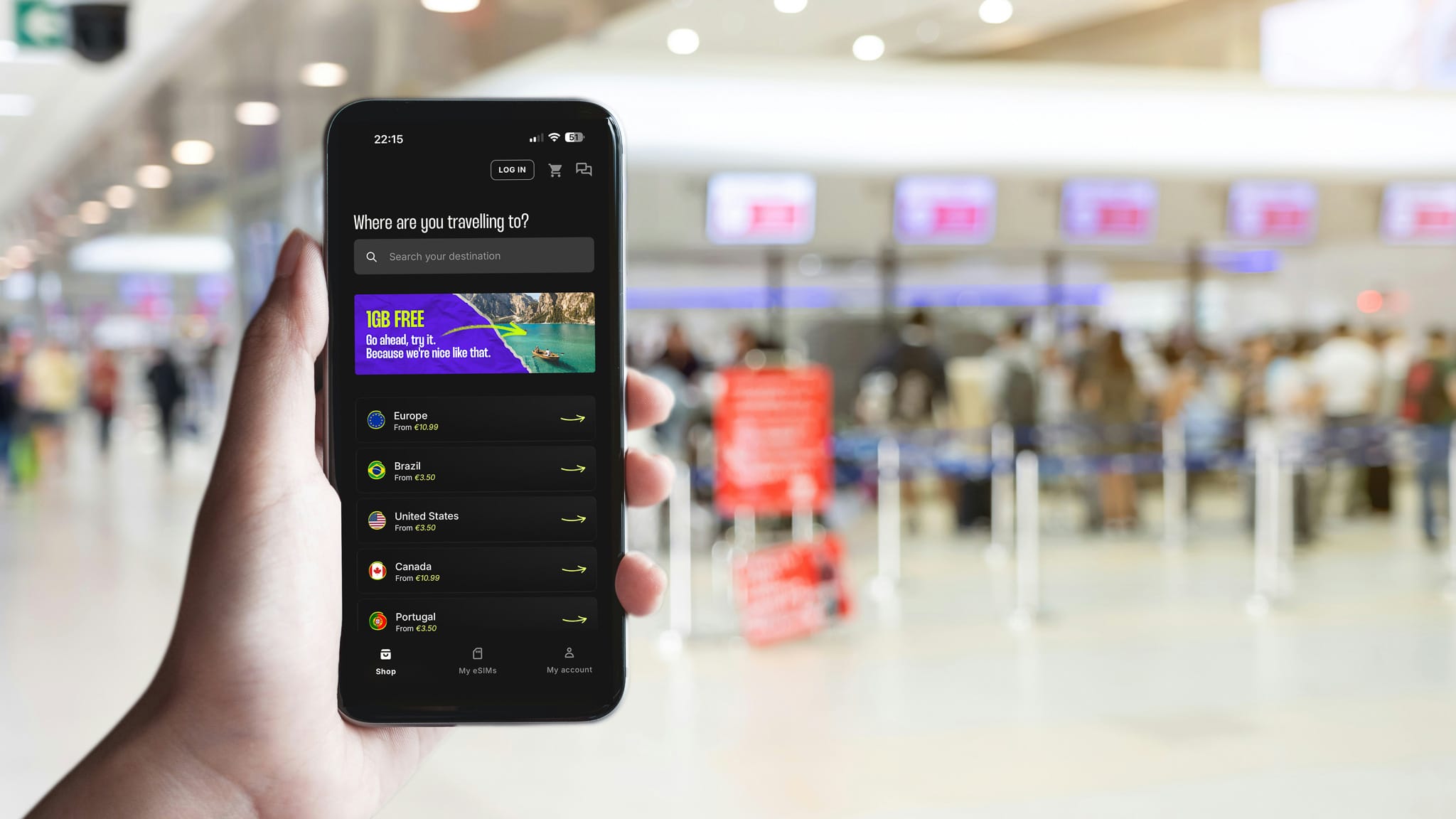
get is a fully digital eSIM, powered by NOS (one of the biggest Portuguese telecom operators), with mobile data in more than 150 countries. It works on whatever network you’re on at home. And you don’t have to be a NOS customer to use it.
There are three ways to buy, and this is where it pays to think before you click:
- By country, when you’re going to one place and staying put
- By region, when the trip crosses borders: Europe, North America, Latin America
- Global, for the itineraries that take in more than one continent
Buying, installing, and activating all happen inside the get app, which also shows you how much data you’ve burnt through and how much is left. Support runs 24 hours a day. Speeds go up to 5G depending on which local networks are available where you are, and that varies a lot from country to country.
Prices change with the destination, the data, and the number of days, and they’re all there on the site before you pay.
My code: MARLENEMARQUES Enter it at checkout on the get site for a discount on your purchase.
When you use my code, you pay less, and I receive a small commission, which helps support this blog.
What an eSIM won’t do
This is the part almost nobody writes down, and it’s the part that saves you trouble.
No calls, no texts. Data only. You keep talking through the messaging apps you already use, on your usual number.
It does not work on every phone. Most models from the last few years take an eSIM, but check before you buy. Go into your mobile network settings and see whether there is an option to add a digital plan. If it is there, you are fine.
It will not install without internet. I have said this once and I will say it again, because it is the mistake people make.
The data runs out. When the package ends, it ends. You buy another one if you need it, but nothing flashes to warn you first. That’s what checking the app now and then is for.
Speed depends on the local network. An eSIM connects you to whatever infrastructure exists in that country. If coverage is bad there, it’s bad for everyone.
When it’s actually worth it
Inside the European Union, European plans already work as though you were at home. But, remember, there are some exceptions, like Switzerland, for example.
Outside the EU is a different conversation. It’s in Morocco, Thailand, Sri Lanka, El Salvador, that the roaming bill becomes something you’d rather not open. And it’s where buying a local card means losing your first morning in a shop, with a photocopy of your passport, a form, and a conversation where neither of you quite follows the other, instead of being out in the street looking at the place you’ve just landed in.
Then there are long layovers. Six hours in an airport you know nothing about, with public internet that represents major security risks. With a three-day package that costs you very little, it works out completely differently. Going out to see the city instead of sitting at the gate is a decision you make with your phone switched on.
And there are the trips that cross countries. Two weeks in Central America can take you through three or four borders, and swapping cards at each one is more effort than it’s worth. That’s where a regional plan earns its keep.
So why not just wait for the wifi at your accommodation?… Because the wifi at your accommodation shows up after you’ve found your accommodation. That’s the order these things happen in, and it’s exactly what went wrong for me in El Salvador.
Check whether your phone takes an eSIM
Before you buy anything, check. It takes under a minute and saves you a refund.
Go into settings, find the mobile network section, and see whether you can add a digital plan or card. If you can, you’re compatible. There’s also a code you can dial on the keypad to bring up your phone’s EID number: if it shows, you’ve got eSIM.
One note for anyone who buys phones outside Europe or secondhand. Some models sold in other markets come with the eSIM locked, or do not have one at all, even though the same model is compatible here. Check the handset itself rather than the spec sheet you find online.
I started using eSIMs in 2024. I haven’t stopped using it since.
Now it’s your turn: Have you already signed up for an eSIM, or do you still buy a local SIM card when you arrive at your destination?